How to Open an EPS File: See What's Inside Without Illustrator, and What to Do When It Won't Open
An .eps file is artwork from Illustrator, Photoshop and similar software. A Mac can no longer show it with its built-in apps, and Word and PowerPoint on Windows will not insert it. See the preview picture, size and fonts inside an EPS in your browser with nothing to install and save the picture as PNG, open it in Illustrator and other software, or ask the sender for a PDF, PNG or SVG. The file is not uploaded.
Open the .eps file right here
Drop an .eps into the dashed box below to see the picture inside it (the preview saved with it, or a Photoshop EPS's own image) along with its size, the software that made it and the fonts it uses. You can save the picture as PNG.
Drop an EPS file here
or click to choose one (.eps, .epsf, .epsi)
Up to 300 MB (100 MB on a phone or tablet). The file is read in your browser and not uploaded.
The file is read on your own device and never sent anywhere.
A designer or a print shop sent you a logo or an ad as an ".eps" file. Double-clicking it does nothing useful, and putting it into Word gives you a box saying the picture can't be displayed. An .eps (EPS) file is a drawing made in design software such as Illustrator or Photoshop. The drawing is written in PostScript, a language of drawing commands; a Mac's built-in apps no longer show it, and Office on Windows will not insert it.
This article explains what an EPS file is and why it will not open, then how to check what is inside it with nothing to install, how to open it in design software, and what to ask the sender for instead.
What an EPS (.eps) file is
EPS stands for Encapsulated PostScript, a format specified by Adobe. Adobe's specification (EPSF 3.0, 1992) describes an EPS file as a PostScript language program describing the appearance of a single page, meant to be included, or "encapsulated," in another document. PostScript is a language that describes a page's lines, text and images as commands.
EPS files come from design software such as Illustrator and Photoshop (both can save as EPS). Adobe calls EPS "a popular file format for transferring vector artwork between applications," and it can hold both drawn shapes (vector) and pixel images (bitmap). Illustrator's help also carries a note, though: "The EPS file format, commonly used in the past, isn't suitable for modern workflows."
Many EPS files carry a preview picture
Showing a PostScript drawing on screen takes something that can interpret PostScript. So the EPS specification lets a file carry a preview picture for the screen. The specification names these kinds:
- TIFF or Windows Metafile (WMF): for Windows. The file starts with a small table of contents giving where the PostScript and the preview are.
- EPSI: a device-independent preview, a black-and-white or gray bitmap written out as text (hexadecimal).
- Macintosh PICT: for the Mac, kept in a Mac-only part of the file (the resource fork).
When Illustrator saves an EPS, you choose a format for this preview; Adobe says the preview image "is displayed in applications that cannot display EPS artwork directly." A Photoshop EPS is a little different: it holds the image itself (and Photoshop can add a separate low-resolution preview).
Why it will not open
- A Mac's built-in apps no longer show it: Apple's support page says "macOS no longer includes built-in support for viewing PostScript (.ps) and Encapsulated PostScript (.eps) files." In macOS 12 or earlier, the included Preview app could view and print them (On a Mac).
- Office on Windows will not insert it: Microsoft says that because of a security vulnerability in EPS files, Windows versions of Office turned off the ability to insert EPS files into documents with the April 11, 2017, security update. Trying it gives only an image placeholder with a message that the picture can't be displayed; Microsoft notes that it looks like a bug but is intentional. Microsoft explains that EPS files allow embedded scripts, which makes them a means of attack.
- Windows Photos does not list it either: Microsoft's page for the Photos app names JPEG, PNG, GIF, BMP and TIFF among the formats it supports, and EPS is not among them. We found no Microsoft page saying Windows has a built-in way to show EPS files.
- Drawing it needs a PostScript interpreter: as the specification says, previewing an EPS file on screen normally requires a PostScript language interpreter. Without design software or something else that has one, the drawing itself cannot be drawn.
In none of these cases is the file broken. And many EPS files also carry the preview picture described above.
Method 1: See what is inside on this page (nothing to install)
The EPS viewer at the top of this article shows the picture and details inside the file. There is nothing to install, so it works on a locked-down work PC and on a Mac; we have checked that it runs in WebKit, the engine inside Safari, on a Mac.
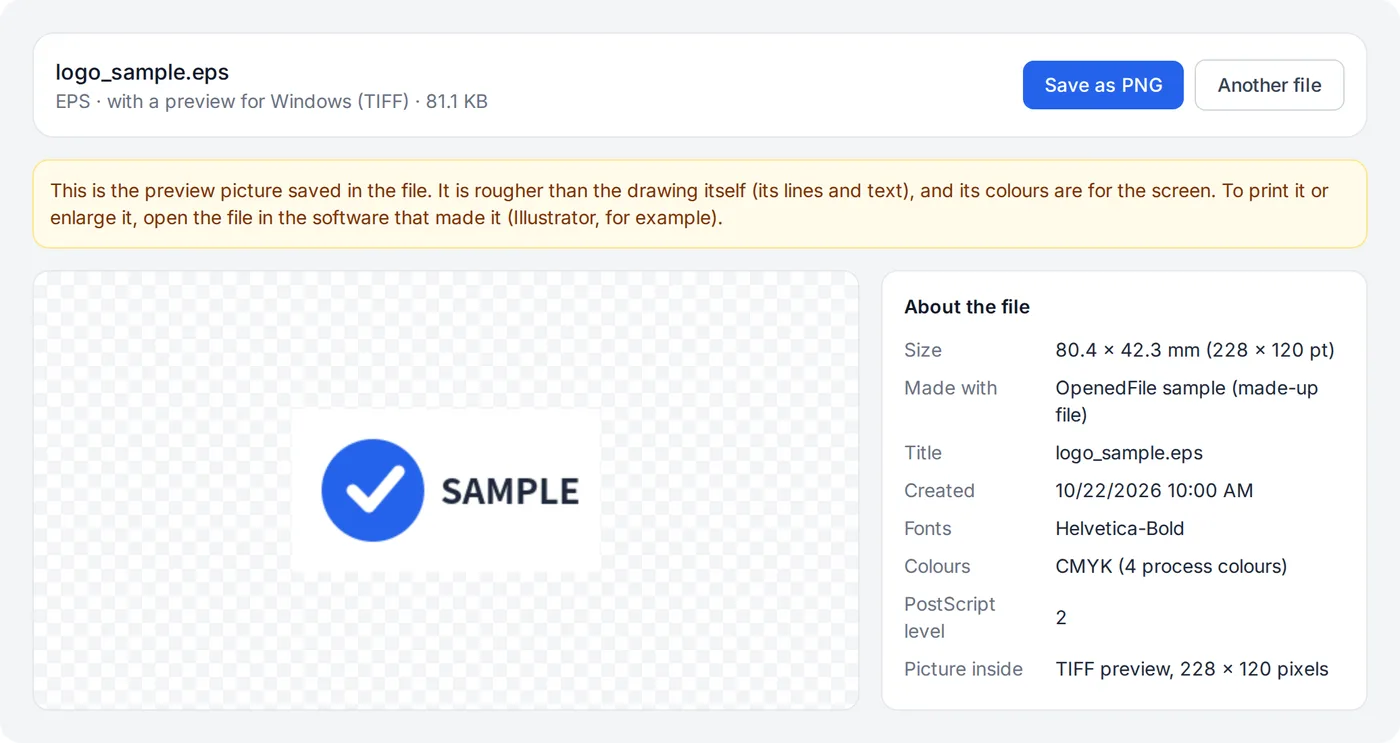
- Drop the .eps into the dashed box (or click the box to choose it). To try it first, press "Try a sample EPS file".
- Under the file name you see the kind of EPS ("with a preview for Windows (TIFF)", "with a preview (EPSI)", "Photoshop image inside (CMYK)" and so on) and its file size.
- The picture inside the file appears, and beside it, under "About the file", its size in millimetres and points, the software that made it, its title and date, the fonts it uses, its colours and more. These details come from comments written inside the file.
- "Save as PNG" saves the picture shown as a PNG. To open another file, press "Another file".
What you see depends on the kind of EPS:
- A preview (TIFF, WMF or EPSI): the page says "This is the preview picture saved in the file. It is rougher than the drawing itself (its lines and text), and its colours are for the screen." Photoshop’s EPS save options, too, make the preview a low-resolution image (Adobe’s help). It is enough to tell which logo or which version a file is, not to print or enlarge. Of a WMF preview, only the pictures it carries are shown; parts drawn with lines and text are not.
- A Photoshop EPS: the image it holds is shown with all its pixels, and the PNG has the same size (on an iPhone or iPad, a picture over about 16.7 million pixels is shown and saved smaller, and the page says so). CMYK and Lab images are turned into screen colours without a colour profile, so they are not the colours it prints in.
- An EPS without a preview: the page says "This EPS has no picture to show" and shows no picture, but still shows the size, fonts and other details.
This page does not run PostScript. It reads only the parts of the file that are pictures or plain-text comments. So it cannot show the PostScript drawing itself (lines and text that stay sharp when enlarged), and it cannot convert to PDF or SVG. Mac previews kept in the resource fork (PICT) are not read either.
Method 2: Open it in design software
To see, edit or print the drawing itself, use design software that opens EPS. Listed here is only software whose own documentation says it opens EPS files.
- Adobe Illustrator: Adobe's "Supported file formats" table lists Encapsulated PostScript (eps, epsf, ps) under File > Open and File > Place. Adobe says that when you open an EPS created in another application, Illustrator converts all objects to native Illustrator objects, and some data may be lost if the file contains data Illustrator doesn't recognize.
- Adobe Photoshop: Adobe says to choose the EPS with File > Open and set the dimensions, resolution and mode. Vector artwork is rasterized when it opens: its lines and curves become pixels. Adobe notes that the Adobe application that primarily produces PostScript artwork is Illustrator.
- Affinity Designer 2: in the "Import and export file formats" table in Affinity's help, EPS is ticked under both "Open/Import" and "Export." We could not find a statement about EPS on the site for the current Affinity app from Canva (affinity.studio).
- Inkscape (free): Inkscape's FAQ lists EPS among the formats it can open or import. However, opening EPS on Windows needs a separate program, Ghostscript. The FAQ's "How to open EPS files in Windows" explains installing Ghostscript and adding its lib and bin folders to the Windows Path environment variable, which takes some fiddling.
On a Mac
Apple's support page says macOS no longer includes built-in support for viewing .ps and .eps files. In macOS 12 or earlier the included Preview app could view and print them; now Apple suggests using "a third-party app that supports PostScript and Encapsulated PostScript files" (it names no particular app). Besides the software in Method 2, the viewer at the top of this page shows what is inside.
If you only need to print it, Apple says that if your printer supports PostScript, you can print an .eps file by dragging it into the printer queue: select the printer in Printers & Scanners settings, click Printer Queue, and drag the file into the window.
Method 3: Ask the sender for a PDF, PNG or SVG
If you only want to use the logo in Word, PowerPoint or on a website, the surest route is to ask the sender for it in another format. Matching the request to the use helps:
- PDF: for printing, or passing on to another designer. Adobe says that when Illustrator saves a PDF, selecting "Preserve Illustrator Editing Capabilities" keeps all the Illustrator data, so it can be edited in Illustrator later.
- PNG: for Word, PowerPoint, email or the web. Say so if you want a transparent background, and give the size you need (the width in pixels, for example) so it does not come out rough.
- SVG: to use it at any size and keep it sharp. Microsoft recommends SVG or EMF instead of EPS, and SVG works in Office 2019, 2021, 2024 and Microsoft 365.
In Adobe's "Supported file formats" table, Illustrator saves Adobe PDF with File > Save, and exports PDF, JPEG, PNG, SVG and WebP with File > Export > Export for Screens.
Which to use
- See right now what the drawing is, or which logo it is: Method 1 (the viewer at the top of this article).
- Find out its fonts or its size: Method 1. They are under "About the file".
- Use it in Word, PowerPoint or on the web: Method 3. Ask the sender for a PNG or SVG.
- Edit the drawing or print it sharply: Method 2 (Illustrator and the like), or ask for a PDF with Method 3.
- It says the file has no picture to show: Method 2 or Method 3.
Frequently asked questions
Is the file sent anywhere when I open it here?
Why is the picture rough or blurry?
It says "This EPS has no picture to show".
Why can't I insert an EPS into Word or PowerPoint?
Can this page convert an EPS to PDF or SVG?
How can I see which fonts the EPS uses?
Drawings and images
Other tools for the same situation
About the author
Ren
Developer, OpenedFile
I build and maintain OpenedFile on my own. It started when a winmail.dat attachment landed in my inbox and nothing would open it — and every online converter I found wanted me to upload the file to their server first. So I wrote a TNEF parser from scratch instead, and every tool here has run entirely in the browser ever since.
More about OpenedFile