Open TIFF Files & Convert to PDF (Fax, Multi-Page)
See every page of a multi-page .tif or .tiff from a fax or a scanner, and save it as one PDF or as images — even the files Windows Photos shows only the first page of. The file is read in your browser and never uploaded.
Your files stay safe — processed entirely in your browser. Nothing is uploaded.
Drop a .tif or .tiff file here
or click to choose a file
Fax and scanner TIFFs, multi-page ones too. The file stays on your device.
How to open a TIFF and turn it into a PDF (fax, multi-page)
TIFF (.tif, .tiff) is an image format that can hold several pages in one file. Fax services and office scanners use it a lot, especially for black-and-white pages. But Windows 11 Photos has been reported to show only the first page, and Chrome and Edge cannot display a TIFF at all.
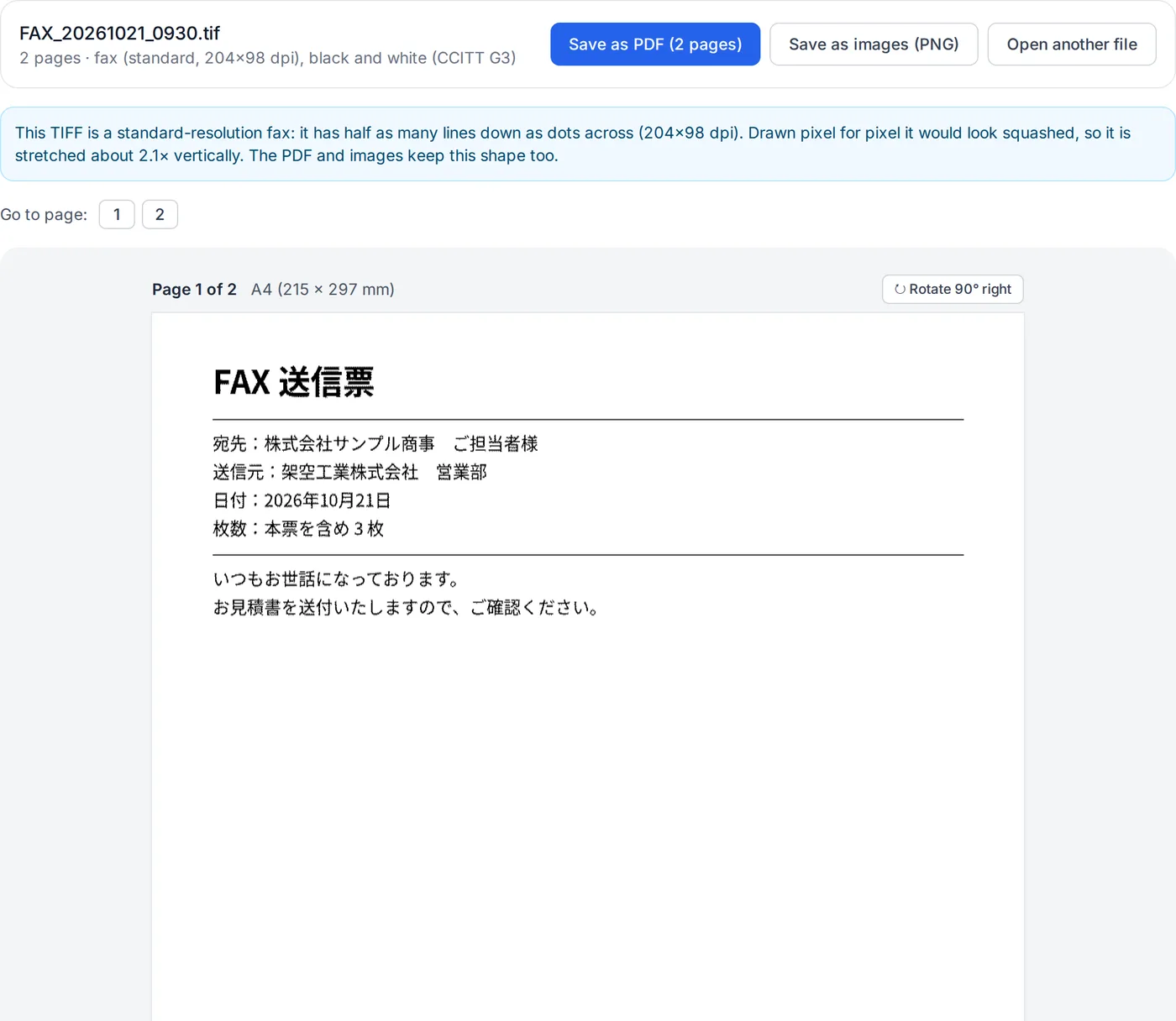
This page reads the TIFF in your browser and shows every page, one under another. Files whose resolution differs across and down, like faxes, are shown at their true shape. You can then save the pages as one PDF or as PNG images. Nothing is uploaded.
Add the TIFF
Drop a .tif or .tiff onto the box above, or click it to choose one. Fax TIFFs (CCITT G3 and G4) and scanner TIFFs (JPEG, LZW and others) are supported.
Check the pages
The pages are listed in order, each with its paper size above it. A page that is the wrong way round can be turned with “Rotate 90° right”.
Save as PDF or images
“Save as PDF” puts every page into one PDF. The paper size comes from the TIFF’s resolution, so a fax comes out at about A4 size (215 mm wide). “Save as images (PNG)” puts one PNG per page into a ZIP (a single page is saved as a PNG).
Black-and-white pages, such as faxes, go into the PDF as black and white at full quality. Color and grayscale pages go in as JPEG.
How it works
A TIFF holds, for each page, a description of the image (its size, resolution and compression) and the compressed pixels. This page reads both in your browser and turns them back into pixels.
- Reading the TIFF
- The file is read with UTIF.js, a TIFF reader made by Photopea, running apart from the page in a Web Worker. Before a page is decoded, its size and compression are checked, and a page that is too large or in a format it cannot read is reported instead of decoded. Pages are decoded as they come near the screen and let go when they are far away, so files with many pages do not use up memory. UTIF.js license (MIT)
- The shape of a fax
- A fax has 204 dots per inch across (8 per millimetre) and, down, 98 lines per inch at standard resolution or 196 at fine. The true shape comes from the two resolutions recorded in the TIFF, and the page is stretched vertically to match.
- Making the PDF
- Each page goes into the PDF as one picture (there is no text in it). The paper size is the number of pixels divided by the resolution. Black-and-white pages stay 1 bit per pixel, compressed without loss; color and grayscale pages are stored as JPEG. A turned page is recorded as the page’s rotation in the PDF.
What it does not do
BigTIFF, some old-style JPEG TIFFs (those keeping their tables in tags), CCITT RLE (compression 2), JPEG 2000 and floating-point pixels cannot be read. It does not recognise text (OCR), reorder or delete pages. CMYK pages are turned into RGB without the color profile (ICC), so their colors can look slightly different.
Frequently Asked Questions
Is the file uploaded?
Windows Photos shows only the first page.
Why does the fax look squashed in other programs?
Are there TIFFs it cannot read?
Is there a size limit?
Can I get JPEG instead?
Drawings and images